


How to display ACF Relationship posts in a grid

How to activate ACF Relationship grid

The Relationship field provides a dual-column component to select one or more posts, pages or custom post type items.
You have created the group and the ‘Relationship’ type field in ACF.

You have selected the posts / pages / CPTs and saved the post.

Open it in the Elementor editor.

The ‘Elementor‘ plugin is installed and active.

The ‘ACF‘ plugin is installed and active. 

The ‘EAC components‘ plugin is installed and active.

From the settings panel you have to drag & drop the ‘ACF Relationship‘ icon on the panel preview.

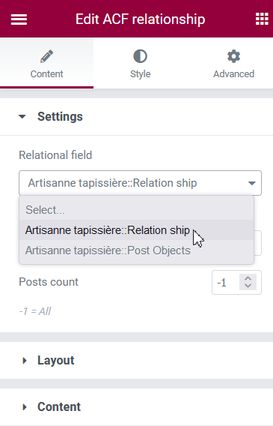
Select the source and filter the post types

As you can see, you can select any of the Relationship or Post objects field as the source. These fields support ‘Post object‘ or ‘Post id‘ formats.

The field ‘Posts count‘ lets you to select how many posts you want to display in the grid. Very useful if you want to display, for example, the first three posts as related posts.

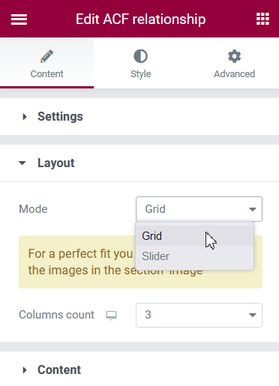
With the section Layout you can select the rendering mode between a grid or a slider the number of columns per row that will be showed for each device.
For the Slider mode you will find in this post the description of the elements and their behavior.

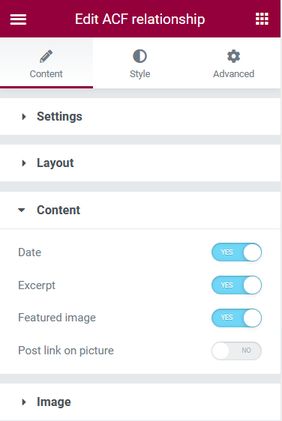
Select the content you want to display

In the Content section you will select what parts you want to show for each post and add the post link on the picture.

Image gallery content

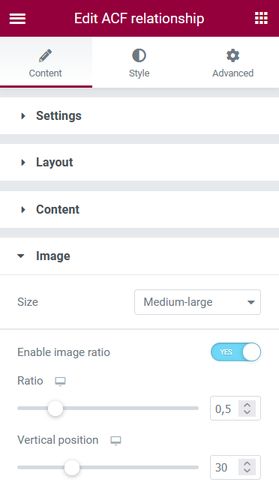
By default il the grid layout mode the Image ratio feature is enabled and you can position the image vertically.

Image gallery image

Styling the post grid

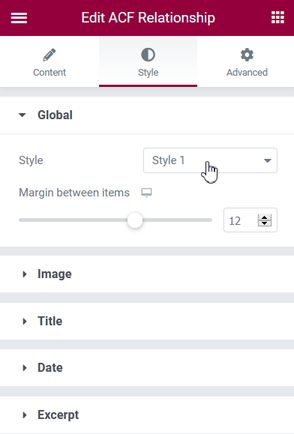
Global section: Select the desired style who will be applied to the posts and the bottom margin.
Title, Date and Excerpt sections: Change font size and font color.
For the Image you can add a border radius and stylize the border.

ACF Relationship posts in a slider

Add a News Ticker reader in Elementor
Wed 9 March 2022
News Ticker for Elementor free...

Add a PDF viewer to Elementor
Mon 14 September 2026
PDF viewer for the free...

Add External Image For Elementor
Sun 7 August 2022
Add your external image with...

Add External Image With Elementor Using Shortcode
Sun 6 March 2022
Add your dynamic external image...

Chart
Tue 15 July 2025
Chart for Elementor free version...

Image gallery
Tue 1 September 2026
Grid layout mode AllChaiseFauteuilLouisCustom filtersAllChaiseFauteuilLouis...

Modal Box
Fri 11 September 2026
Modal Box for Elementor free...

Post grid
Thu 10 September 2026
ACF repeaterLe plugin ACF (Advanced...

Syntax highlighter
Sat 11 July 2026
/wp-content/themes/your-theme/ ├── functions.php └── blocks/...
Exit grid