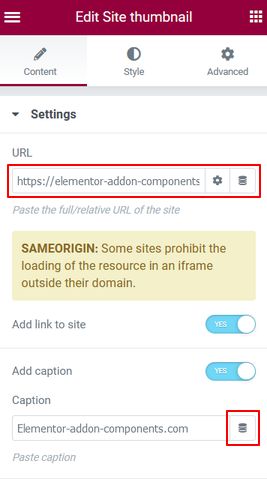
Nothing special in this interface. You can add a link to the original page and illustrate the page with a caption.
We encourage you to use Copy / Paste to enter the URL or the caption, because for each character entered the component reloads.
Of course you can use dynamic tags, especially ACF if the plugin is installed.
Then you can customize the final rendering with the controls under the ‘Style’ tab.