Sticky scroll effect for Elementor free version is a new feature that allows you to create sticky effect on widget, column or top / inner section.
Pay attention: Sticky scrolling is disabled if Elementor Pro is installed and active.
Turn On / Off the sticky effect
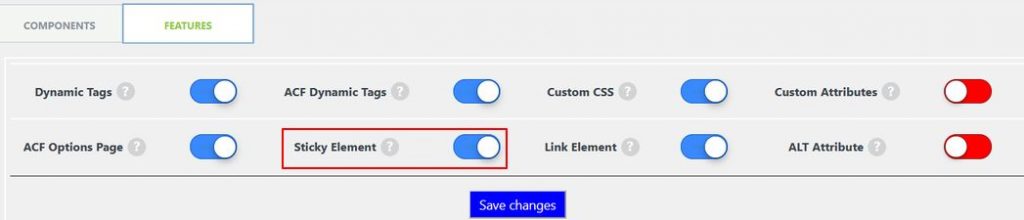
In the admin panel select ‘EAC components’ link and ‘Features’ tab then activate / deactivate the option ‘Sticky Element’ entry and save settings.
Enable the sticky effect
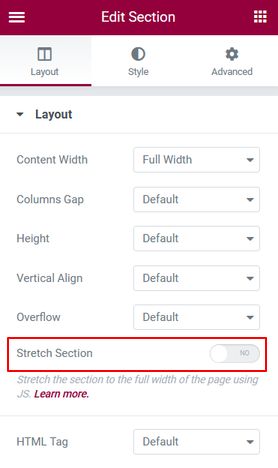
Make sure the stretch option is turned off first if you want to apply the sticky effect on a top section.
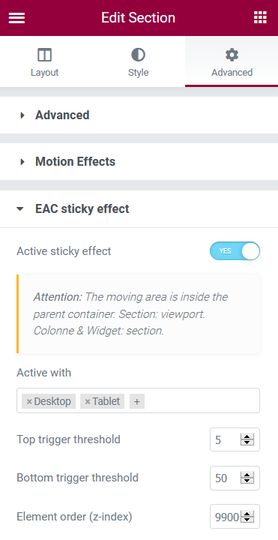
Go to ‘Advanced’ tab open ‘EAC sticky effect’ section and turn on the toggle ‘Active sticky effect’.
- Select the devices to which the effect will be applied
- Upper and lower trigger thresholds
- And to finish the layer level