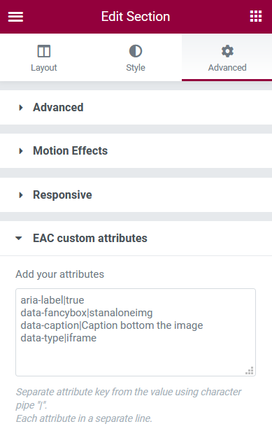
Custom attributes for Elementor free version is a new feature that allows you to add attributes for the HTML container of your choice.
This would help with some accessibility issues and setting custom “data-” attributes for third partie plugins in javascript.
Please consulte the Elementor doc
Pay attention: Custom attributes is disabled if Elementor Pro is installed and active.
This feature doesn’t cover ‘Link attributes‘ who are already implemented in the standard version of Elementor.
To avoid reloading the live/preview in the editor for each character entered, the attributes will only be loaded into the DOM in the front-end.
why adding attributes to a container
Using ARIA attributes: The ARIA standard is a set of attributes that define how to make content and web applications accessible.
Oriented for people with visual impairments equipped with a screen reader.
data- are attributes you can use to interact and exchange data with javascript plugins and display or modify specific component in your page.
How to add attributes to a section, column or widget
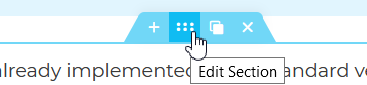
- Edit the section/column or widget
- Select the Advanced tab
- Open the ‘EAC custom attributes’ section
Separate attribute key from the value using character pipe “|”.
Each attribute in a separate line.
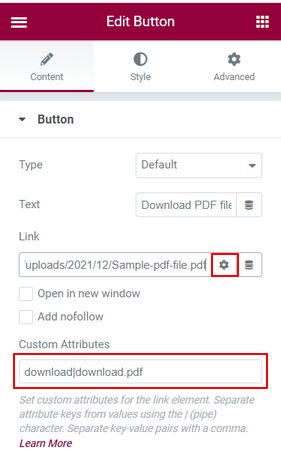
Add a download attribute to a button
To cause a file to be immediately downloaded when a user clicks a button :
- copy the url of the file to download from the media library,
- in the editor add a button and paste the URL in the link field,
- click on the ‘gear icon’ options,
- in the ‘Custom Attributes’ field add the ‘Key|Value’ pair ‘download|filename‘ where filename with its extension will be the name of the file after it is uploaded.
The URL of the file to download must be in your domain (CORS).